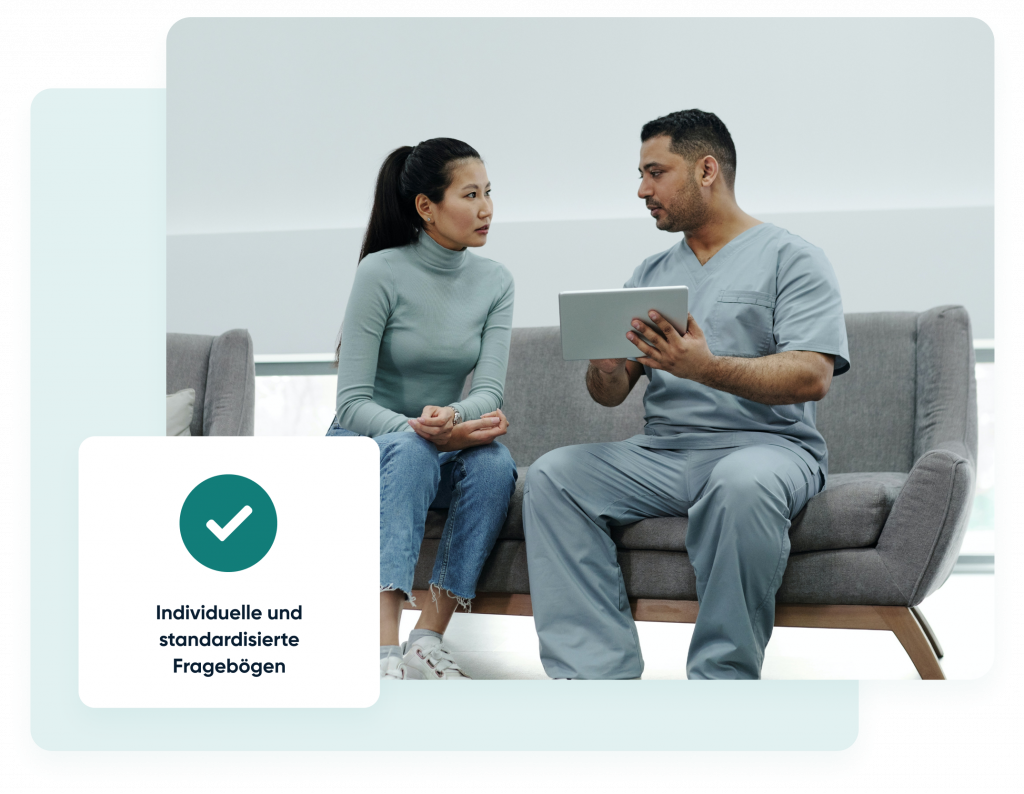
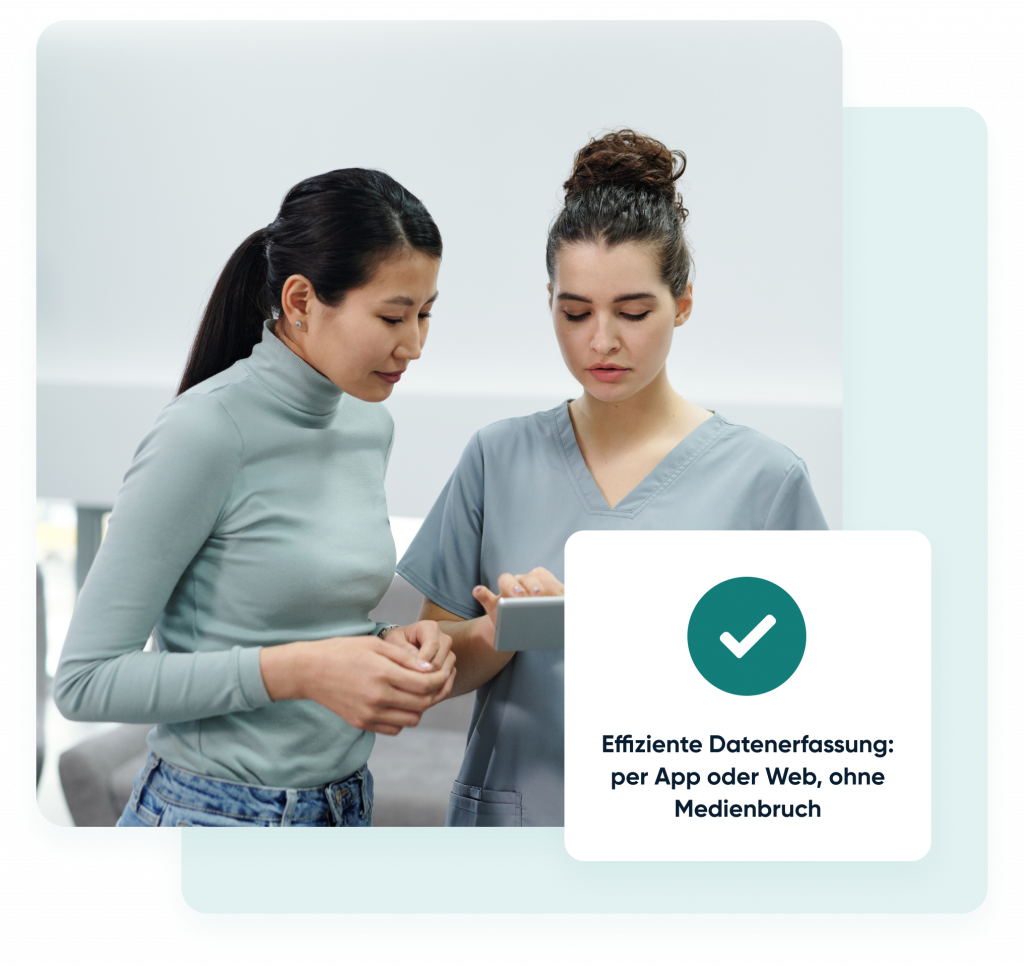
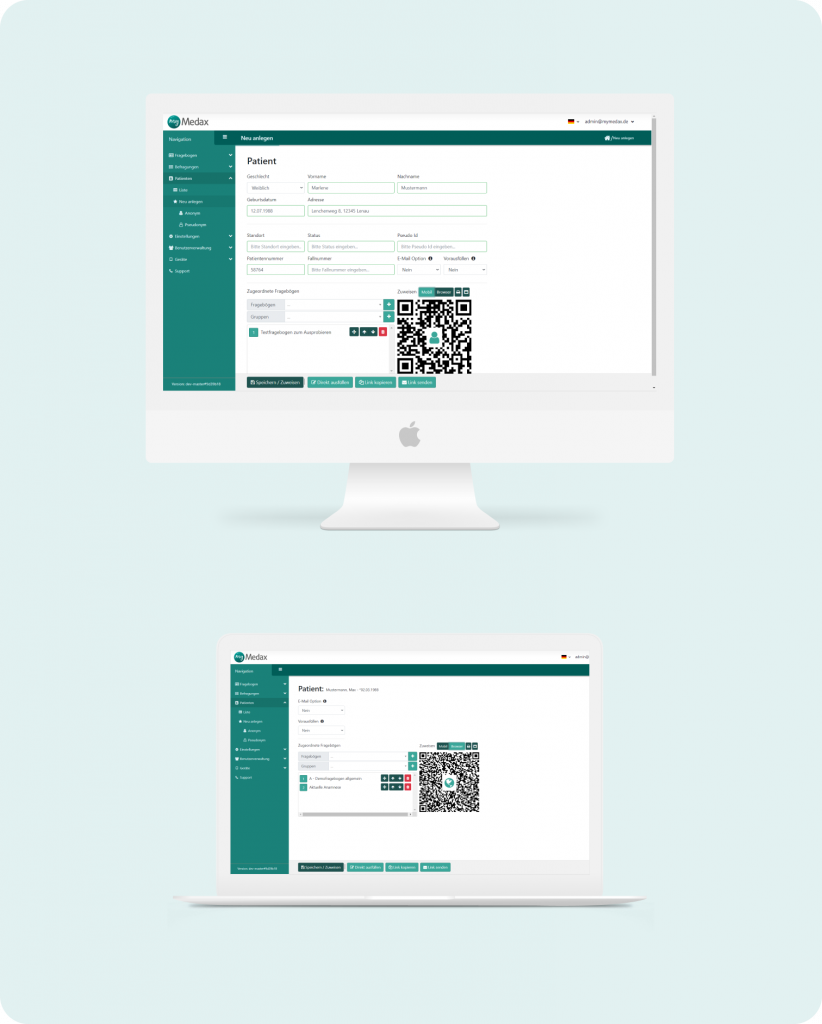
Mit innovativen CRM-Technologie wird die Verwaltung Ihrer Patienten so einfach wie nie zuvor. Vergessen Sie zeitraubendes manuelles Eingeben oder Scannen von Anamnesebögen in die Praxissoftware. Unsere Lösung, basierend auf modernsten CRM-Systemen, eliminiert mögliche Übernahmefehler und unvollständig ausgefüllte Fragebögen. Alle Daten aus den Fragebögen werden automatisch in der Patientenkartei gespeichert und stehen als nutzbare Informationen bereit.
Verschwenden Sie keine Zeit mehr.
Unsere Lösung digitalisiert alle Aspekte Ihres Betriebs, von der Patientenaktenführung bis zur Terminplanung. Durch automatisierte Prozesse sparen Sie Zeit und steigern die Effizienz, sodass Sie sich auf die bestmögliche Versorgung Ihrer Patienten konzentrieren können.
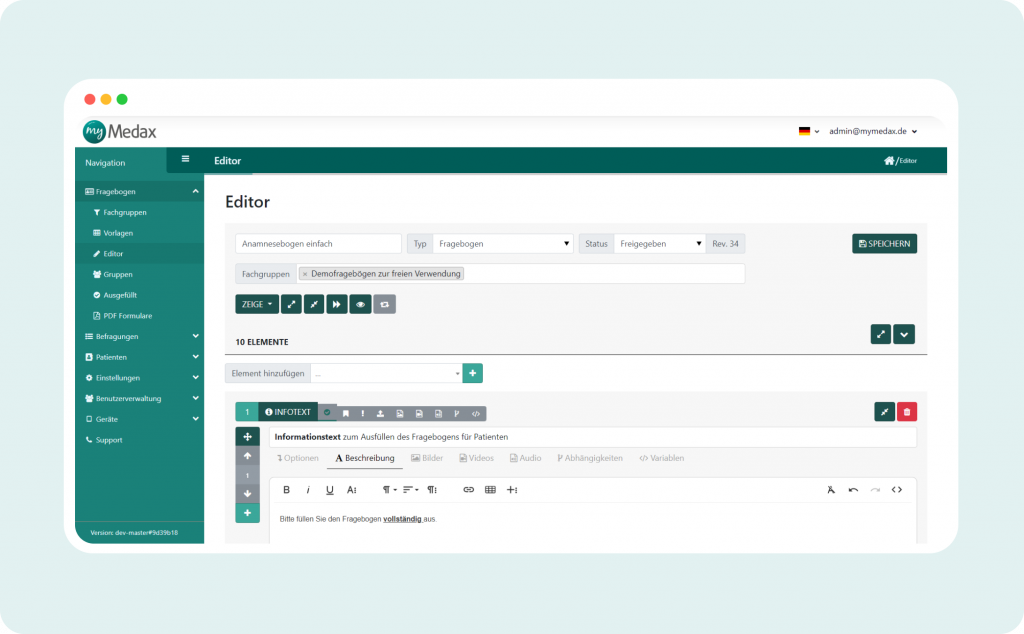
Eigenen Fragebogen mit dem integrierten Editor erstellen oder anpassen.
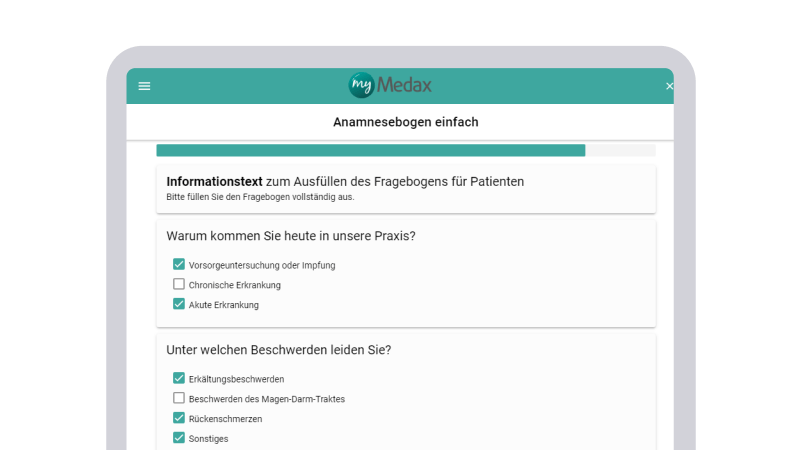
Fragebogen ausfüllen
Zuweisen und ausfüllen des Fragebogens per App oder Web-Browser.
Rechtssichere Unterschrift
Fragebogen rechtssicher unterschreiben und abgeben.
Verwendung der Daten
Import in die Karteikarte und Verwendung der Daten.
FEATURES
Buchen Sie jetzt einen Termin!
Das Angebot für Gesundheitsunternehmen
Effizienzsteigerung
Verbesserte Patientenerfahrung
Datengetriebene Entscheidungsfindung
Wettbewerbsvorteil
Zukunftsfähigkeit
Optimierung von Gesundheitsdiensten: Umfassende CRM-Lösung
Erläuterung zeitgenössischer Herausforderungen im Gesundheitswesen.
Definition der Präsentationsziele: Steigerung der Effizienz, Verbesserung des Patientenservice und Optimierung der Geschäftsprozesse.
Betonung, wie die Nutzung von CRM die Effizienz und Reaktionsfähigkeit im Gesundheitswesen steigern kann.
Customer Relationship Management (CRM) ist nicht nur eine Technologie zur Verwaltung aller Beziehungen und Interaktionen Ihres Unternehmens mit Kunden, sondern auch ein benutzerfreundliches Werkzeug zur Automatisierung und Kontrolle von Geschäftsprozessen.
Geschäftsprozessautomatisierung (BPM)
Tiefgehende Untersuchung spezifischer Gesundheitsprozesse, die durch Automatisierung optimiert werden können.
Demonstration der Vorteile der Automatisierung für eine prompte Reaktion auf Veränderungen im Gesundheitswesen.
Beispiele für erfolgreiche BPM-Implementierungen in anderen medizinischen Organisationen.
Falsche Geschäftsprozessautomatisierung kostet den meisten Unternehmen Zeit und Geld.
„myMedax hat sich sehr schnell in unsere Abläufe integriert und harmoniert prima mit unserer Praxis-Software T2med. Es läuft auf jedem Tablet, also sind wir auf keinen Hersteller angewiesen. Auch ältere Patienten kommen damit super zurecht und wir freuen uns darüber, dass wir kein Papier mehr ausdrucken, abheften oder später suchen müssen. Wir können selbstständig, unabhängig und völlig flexibel unsere eigenen Aufklärungen kreieren und jederzeit ändern.“
Dr. med. Christian Krzemien
Venenpraxis Langenargen
„Wir können myMedax sehr empfehlen, es erleichtert den Alltag in der Praxis ungemein: Besonders die papierlose Form der Befragung der Patientinnen und die schnelle und unkomplizierte Art der Einbindung in die Karteikarte der Patienten ist klasse!“
Susanne Erlbeck
Villa Vitalis MVZ
„Mit myMedax ersetzen wir bei unseren Kunden herkömmliche Papierfragebögen, sparen damit Zeit und Kosten. Die Patienten können effizient befragt und die Daten automatisiert übertragen werden. Wir nutzen myMedax und die enthaltenen Schnittstellen in unterschiedlichsten Projekten sehr erfolgreich.“
Anja Müller
Zentrum für Telemedizin
FUNKTIONEN
CRM-System
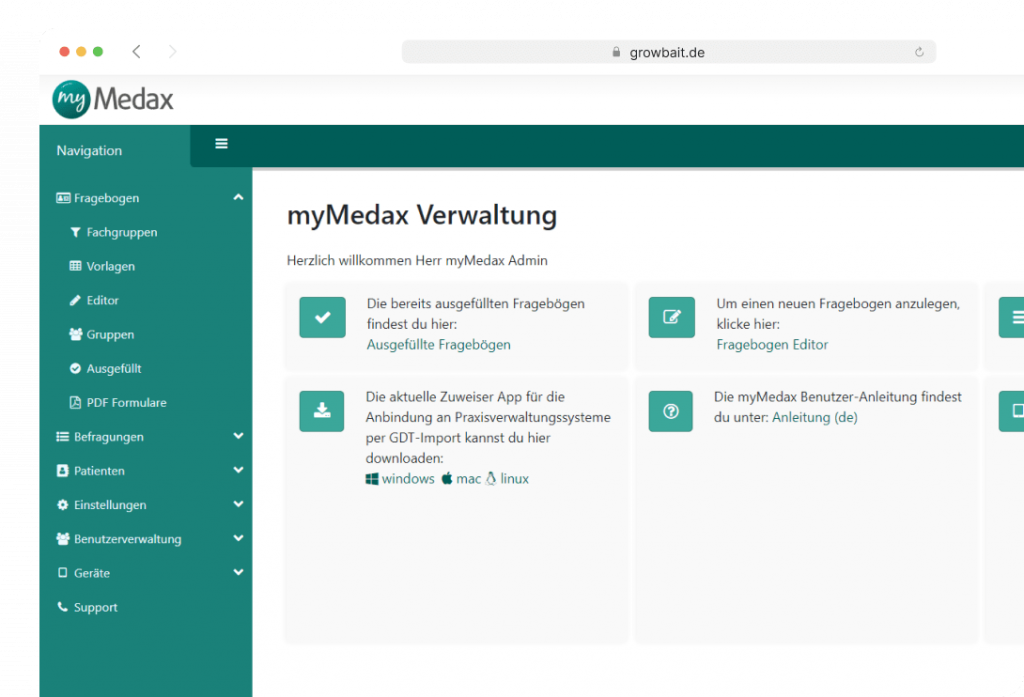
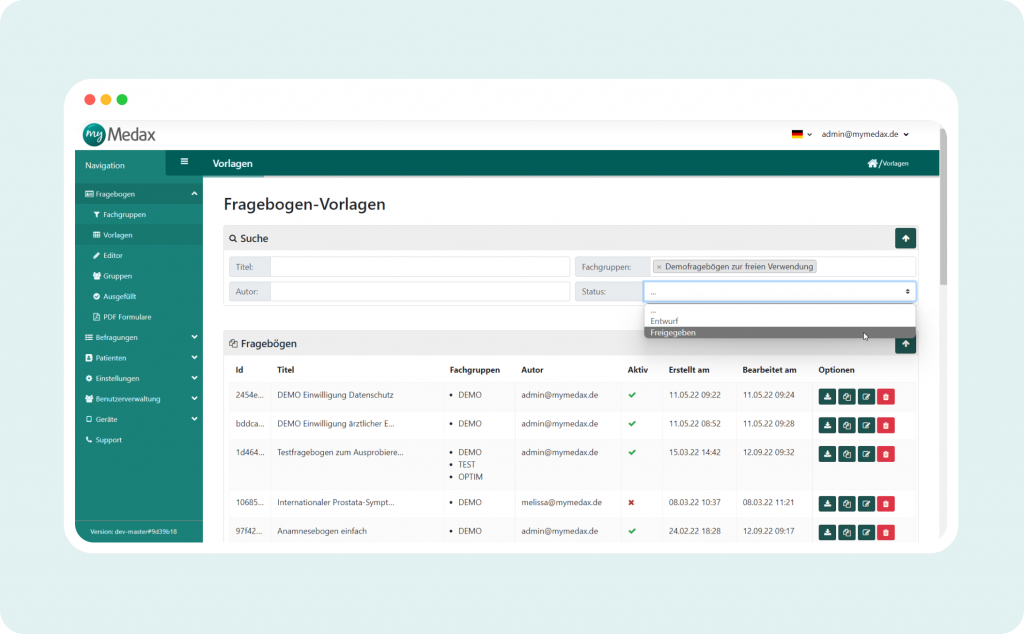
Vorlagen verwalten
In der Vorlagenverwaltung finden Sie eine Übersicht aller selbst erstellten und importierten Vorlagen. Bei einer umfangreichen Vorlagenbibliothek unterstützt die integrierte Suchfunktion. Selbstverständlich können Sie ihre selbst erstellten Vorlagen mit anderen myMedax-Anwendern austauschen. Die Bearbeitung der vorhandenen Vorlagen kann von hier aus begonnen werden.
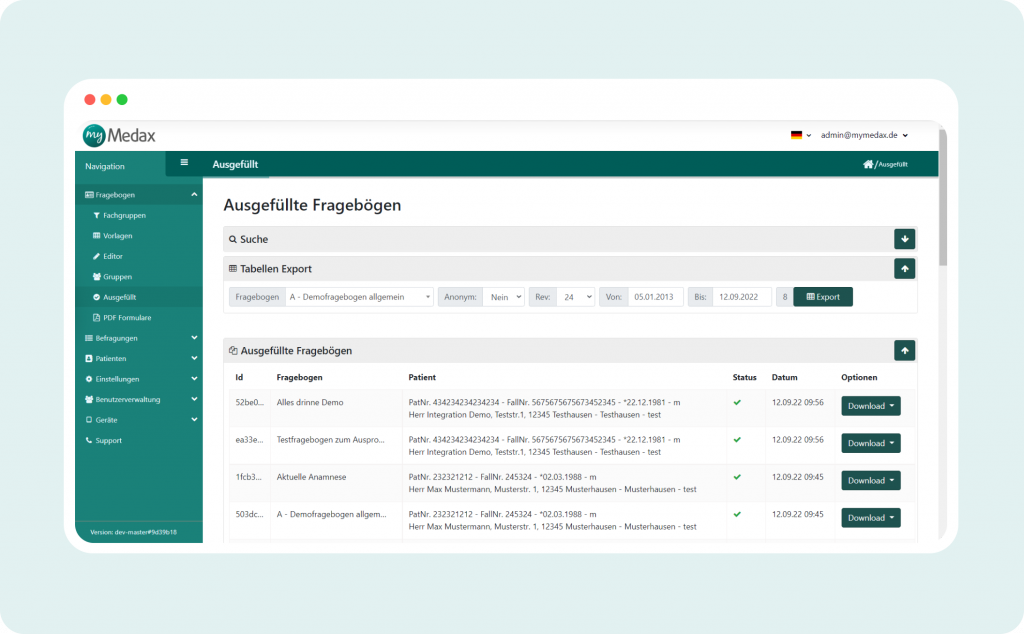
Ausgefüllte Dokumente
Mit einer übersichtlichen Liste aller ausgefüllten Vorlagen behalten Sie den Überblick. Dort stehen Ihnen neben dem erzeugten PDF auch nochmal alle Export-Formate (GDT, HL7, FHIR etc.) zur Verfügung. Zusätzlich können Sie dort den Status der Ausfüllung transparent nachverfolgen. Über eine Export-Funktion können Sie statistische Daten aller Fragebögen als Excel-Dokument herunterladen und dann individuelle weiterverarbeiten und auswerten.
Editor - individuelle Formulare selbst gestalten
Das Herzstück von myMedax ist der integrierte und selbsterklärende Vorlagen-Editor. Erstellen Sie ganz einfach ohne Programmierkenntnisse Ihre eigenen Vorlagen:
Digitalisieren Sie vorhandene Dokumente, erstellen Sie vollständig neue Vorlagen oder passen Sie bestehende Vorlagen an.
Erstellen Sie z.B. Fragebögen, Aufklärungsbögen, Informationsdokumente, Einwilligungserklärungen und vieles mehr.
Unter unseren –>Use Cases<– finden Sie die Möglichkeiten die Ihnen myMedax inhaltlich bietet.
FUNKTIONEN
myMedax-Client
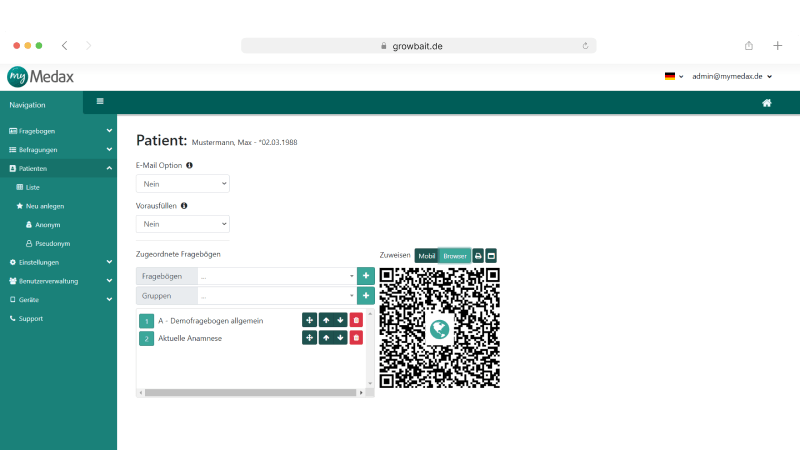
Mit dem myMedax Client ordnen Sie Ihren Patienten Vorlagen direkt aus Ihrer Praxisverwaltungssoftware zum Ausfüllen zu. Die Stammdaten des Patienten werden dabei temporär an myMedax übertragen und stehen im Formular zur Verfügung. Wie erhält der Patient seine Formulare?
Senden Sie dem Patienten die auszufüllenden Formulare per Email nach Hause, sodass dieser Sie bequem und einfach im Vorfeld des Arztbesuchs ausfüllen kann.
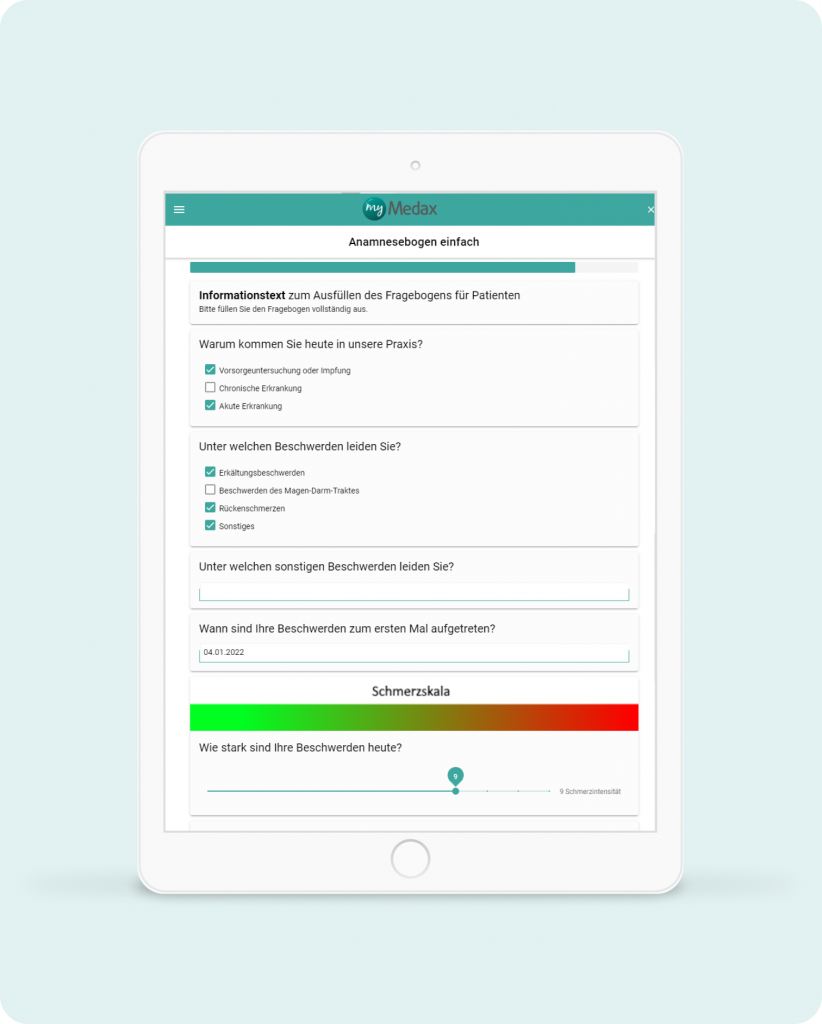
Übertragen Sie die Formulare auf ein Praxis-Tablet, sodass der Patient diese im Praxiswartezimmer oder Sprechzimmer vor Ort ausfüllen kann.
Stellen Sie dem Patienten einen QR-Code zur Verfügung, mit dem der Patient die Formulare direkt auf dem eigenen Smartphone bearbeiten kann.
Natürlich können Sie Formulare auch direkt in Ihre Website einbinden.
FUNKTIONEN
myMedax-App
Zum Ausfüllen stellt myMedax eine anwenderfreundliche und barrierefreie Oberfläche zur Verfügung. Der Patient wird durch Ihre individuell gestalteten Vorlagen geführt. Die Oberfläche kann plattformunabhängig genutzt werden:
Im Webbrowser
Unter Apple iOS
Unter Android
Mit myMedax nutzen Sie die Endgeräte ihrer Wahl, es gibt keine Geräte oder Herstellerbindung! Durch die Integration einer rechtssicheren und beweiskräftigen Signaturlösung (fortgeschrittene elektronische Signatur) können Sie jedes Formular sicher in der Ausfülloberfläche unterzeichnen lassen.
GEBIETE
Buchen Sie jetzt einen Termin!
Algemeinmedizin
Interne Medizin
Kinder- und Jugendmedizin
Pneumologie
Gynäkologie
Dermatologie
Psychotherapie
Onkologie
Arbeitsmedizin
Zentrale Notaufnahme
Patienten-Aufnahme
Und viel mehr!
KONTAKT
Lernen Sie IT-QUBE kennen!
Sie haben Fragen oder benötigen weitere Informationen von uns? Dann schreiben Sie uns und einer unserer Experten wird sich umgehend bei Ihnen melden.